
Our world is getting smaller and smaller, but not just because planes are getting faster and more people than ever live in the cities. One reason the world is getting smaller is because everything is shared, no matter where you go or what you’re doing. Even things as simple as movies and music collections can be shared easily through the use of companies like www.directstartv.com and a variety of platforms all over your home.
While some people think that media sharing is somehow brought about through fairy dust or phases of the Moon, this is just silly. In reality, it concerns a completely non-magical cloud and the settings on a variety of devices you might already have in your home. While it can be a bit of work to set up things initially, ultimately, your reward will be a lot of easy transferring.
Let’s look at how your media files get shared through various devices.
Apple’s Home Sharing

Apple is well known for making everything work with everything else for the most part. While the Apple Store occasionally has an issue with buying something on one platform and sending it to another, this is a fairly small issue that can easily be worked around. Ultimately, most Apple products perform extraordinarily well together and share efficiently.
For instance, sharing media files with Apple products such as the iPod, iPad and iPhone is a fairly simple matter. Since the later versions of these products are all equipped with wireless capabilities, all you have to do is enable file sharing in them and in your iTunes account. From there, assuming you have the right operating system installed for all of your hardware, sharing is as simple as clicking on the album or song you want to listen to.
Naturally, additional steps are required to store songs or other files on a wireless device in order to take them out of your home network’s range. However, they’re pretty simple, and the transfer process takes mere minutes if your connection is solid.
Home Streamers

There are a lot of different products that allow you to play your favorite media files without having to use your computer for such a task. While you can always hook up your computer to a TV and essentially use it as an external monitor, most people’s home theater setups are a lot different than their computer area setups.
If you do your “official” work in an office chair, but then retire to a big, plush couch to take in a flick, you might find trying to mix and match the two styles a bit jarring. So it starts to become obvious why you’d want to have a system in place that can easily transfer files from one device into itself, and then play them on your TV. The CinemaTube pictured above is only one possibility for your home networking needs.
One way you can transfer files into a device of this nature is through your home wifi network. However, it’s almost as easy to simply hook up an external drive to such a machine and transfer your files that way through a media streamer. Once your files are there, it’s super easy to use it just like you would an old-fashioned VCR, sans rewinding of course.
Home Networks and Discovery
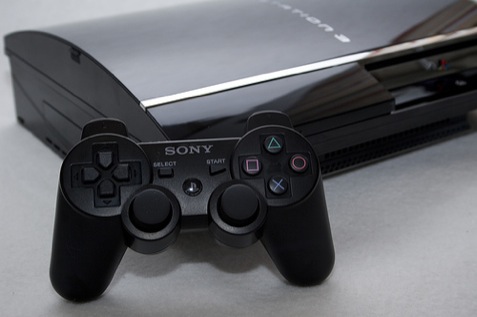
Not many people realize this, but you can use your PS3 to transfer files to your PC through your home network. It’s an advanced enough system that it can act as a file storage and media transfer device. Of course, that’s just a fancy way of saying you can stream TV shows, music and movies from your PS3’s hard drive or online through your computer.
The major trick when you link up a PS3 and a PC is in the details of how your firewall operates, and whether all settings are correct for the task. While Network Discovery and Printer Sharing are critical to allowing your PC to find your PS3, a lot of people forget this vital pair of clicks.
Another thing you’ll want to be aware of if you want to play admin and link the two machines is the MAC (or Media Access Control) device number so you can pick out your PS3 among the other devices on your network.
Cloud-based Sharing
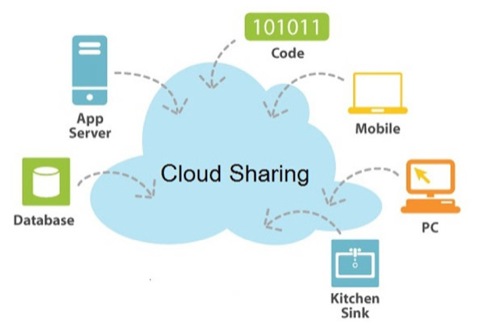
The great thing about how your home network operates is that it combines all of the devices on your network on the Internet and allows them all to share with the efficiency of dolphins in the ocean. When one of your devices spots a tasty group of files swimming by, it can access them and share them as easily as a pod can toss around a random piece of floating garbage.
Some services, such as those offered by Netflix, Amazon, Blockbuster or DirecTV, allow you to stream in movies and TV from the Internet and share them amongst your various devices. While the ways we talked about earlier technically allow you to do the same thing, most open up the possibility of using DVDs and other data transfer methods.
The process is far more streamlined when a company of Netflix’s size handles it. At that point, all you have to do is manage your own network’s settings.
CONCLUSION
There are a lot of ways to share information between your various devices. You can set up a home network, with or without wires. You can use portable data storage devices to ferry files around. You can even directly link devices to one another, if you don’t want to mess with having a full network to concern yourself with. Whatever method you choose, only a few easily handled details stand between you and being able to use your media files on all your devices.
